Turning Location Services Off
Although there are many benefits to using Location Services, there may be times when you want to turn them off. This is done differently on Apple and Android devices, but instructions for both are below.
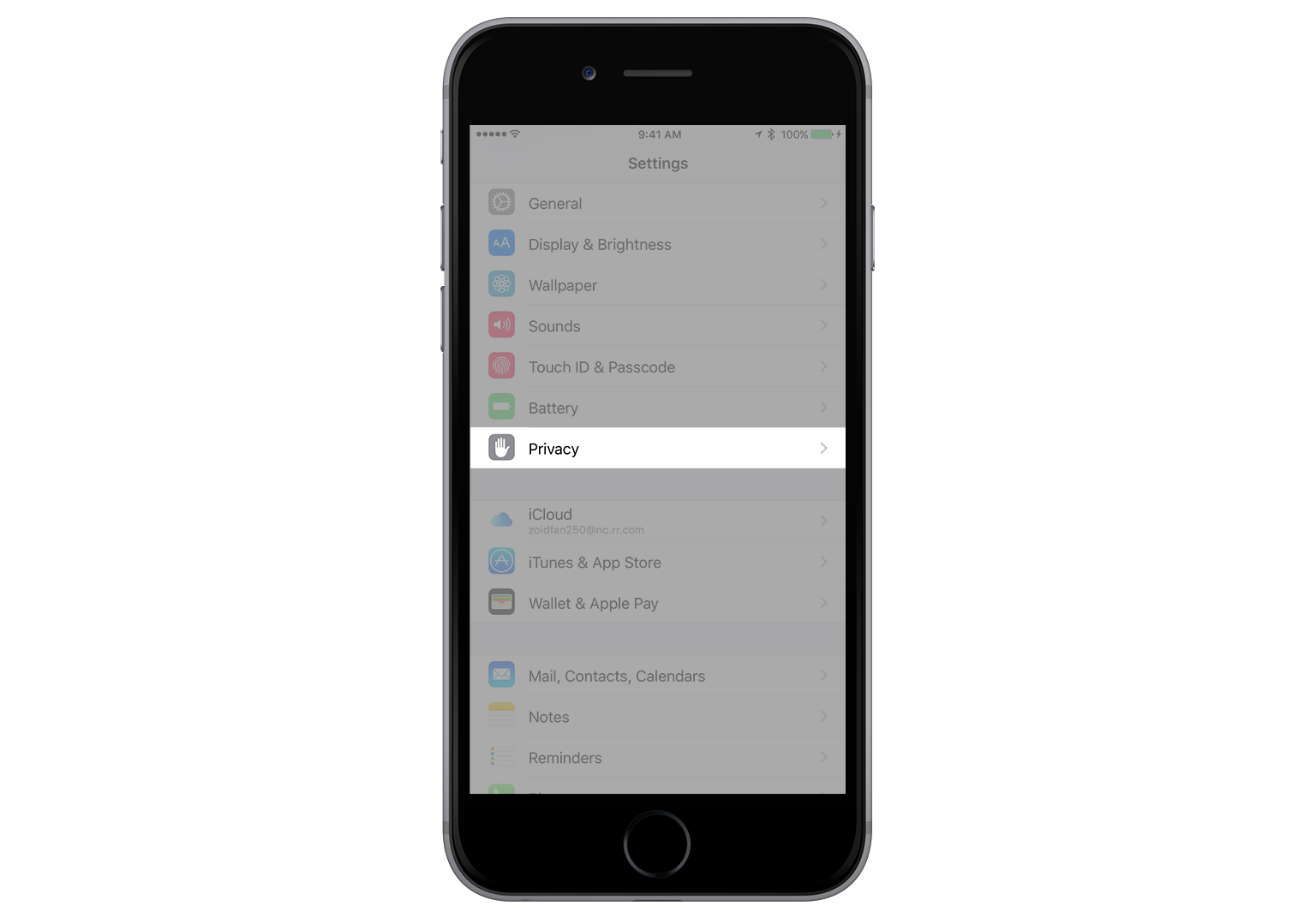
Here's how you can turn off Location Services on an Apple device. From the 'Settings' app, tap 'Privacy' to open the privacy settings for your device.
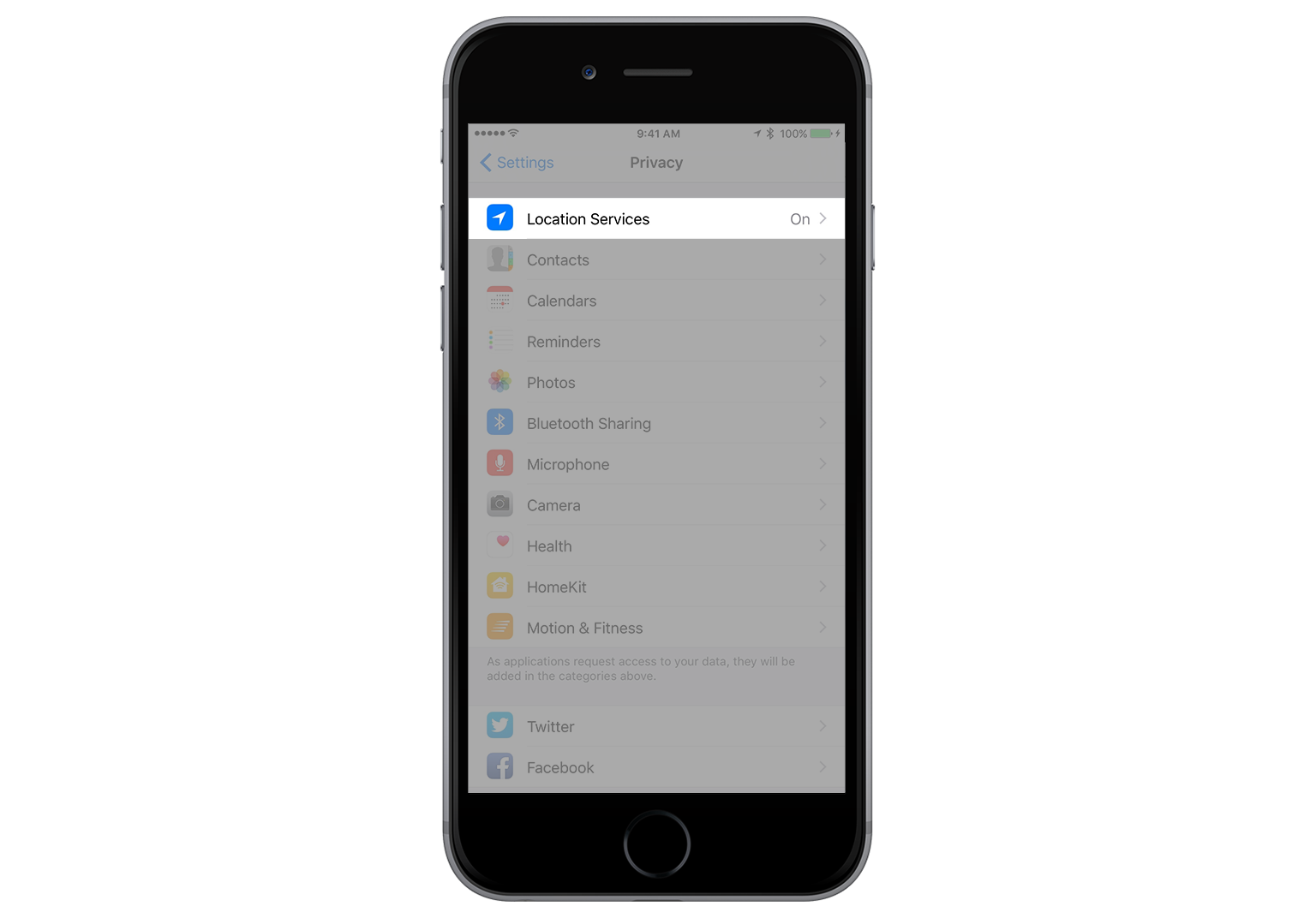
Then tap 'Location Services' to access your location services settings.
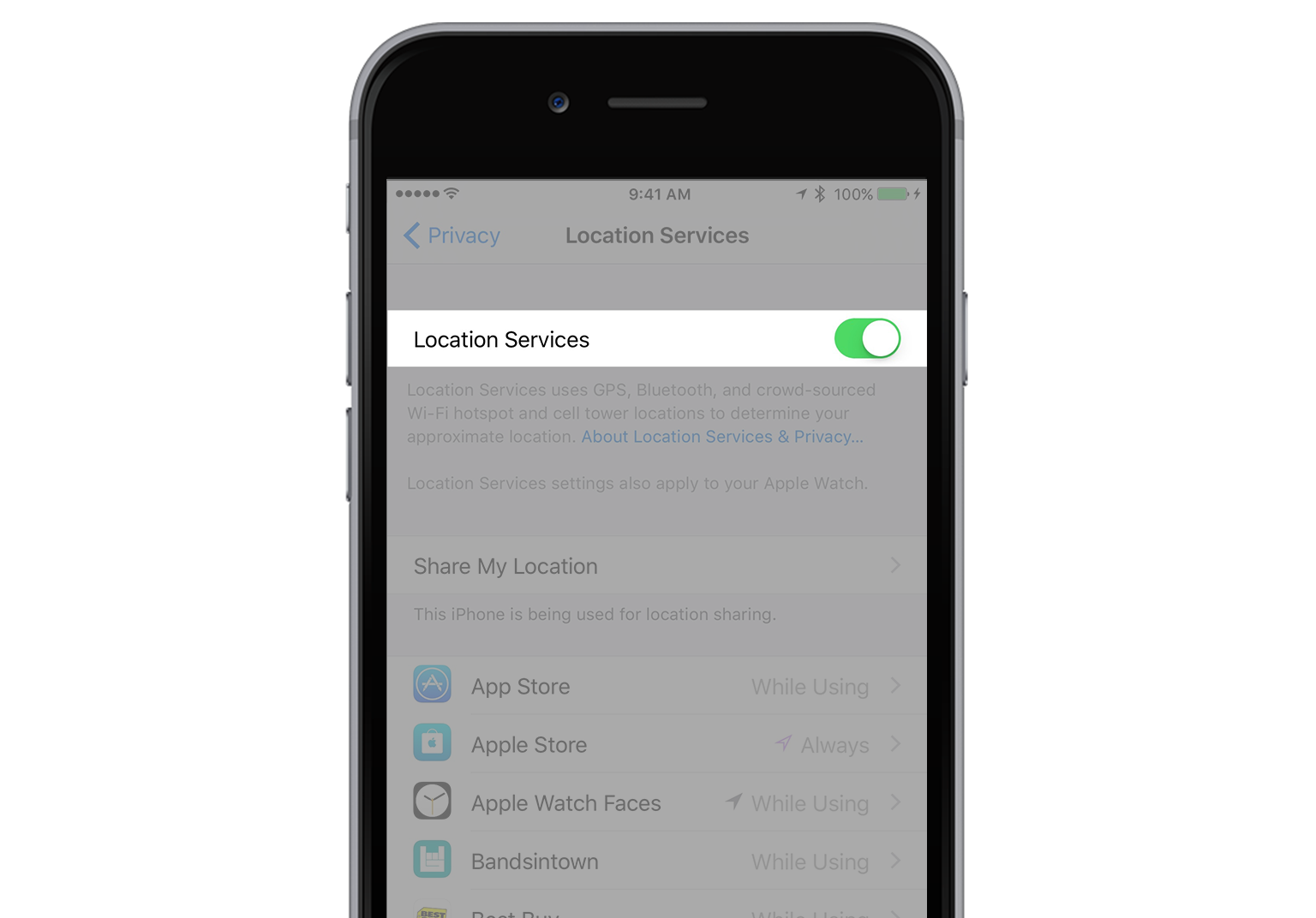
From here, you can turn all of your Location Services on and off by tapping the slider button to the right of 'Location Services' at the top of your screen.
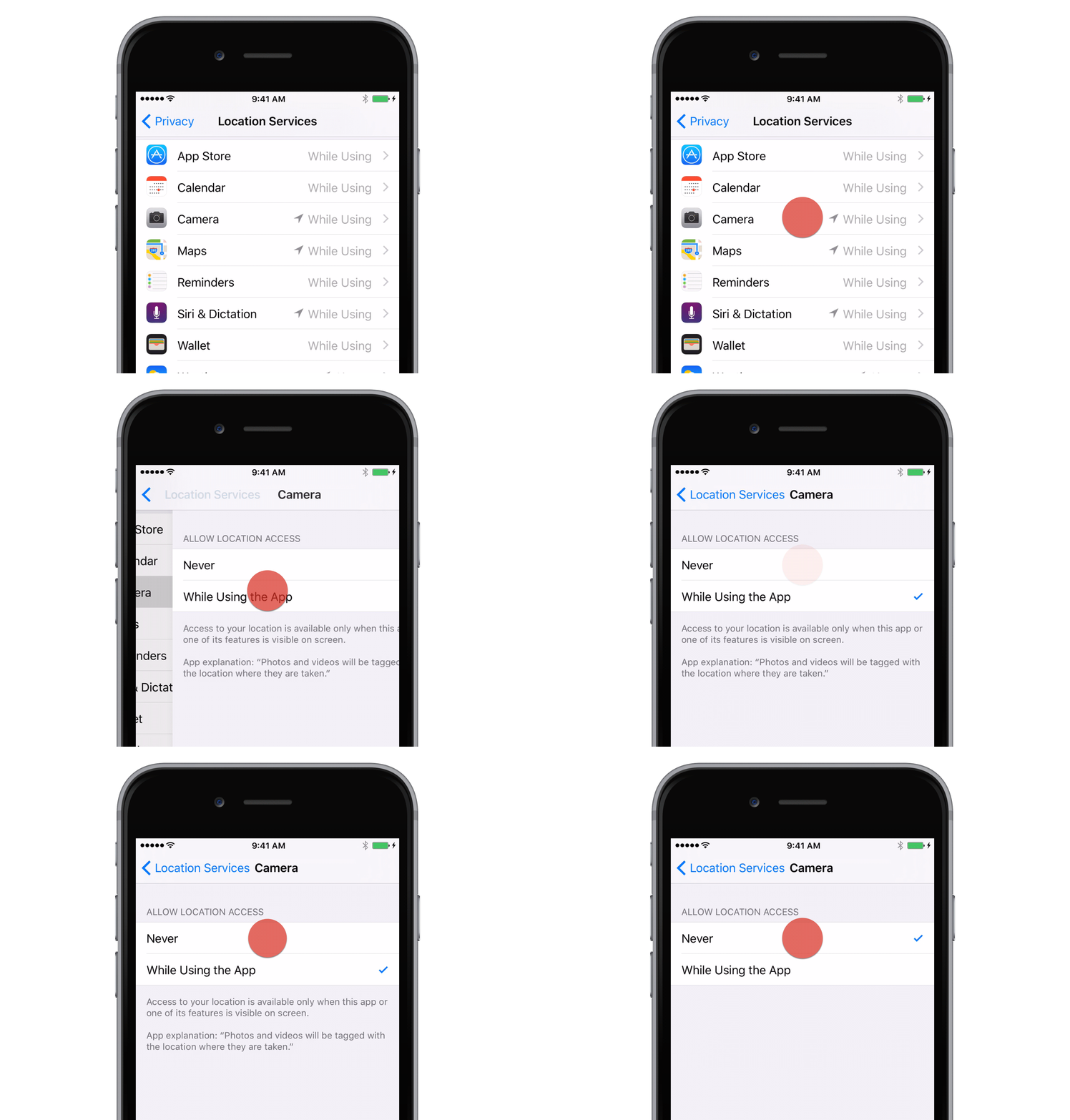
You can swipe up to view a list of all the apps installed on your device that use Location Services. Tap any app in the list to control the Location Services for that app. Turning off Location Services for the Camera app will turn off Geo-Tagging.
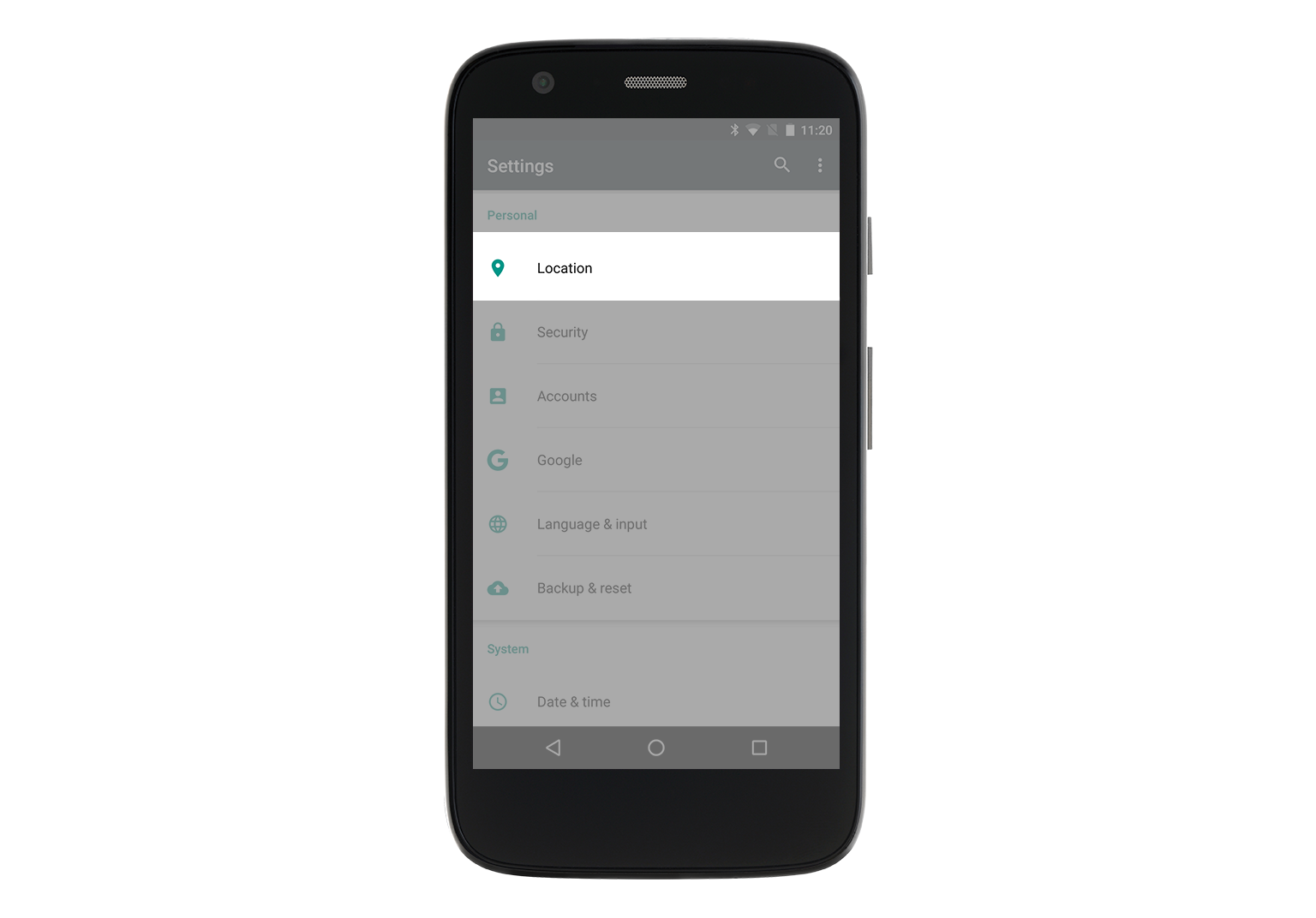
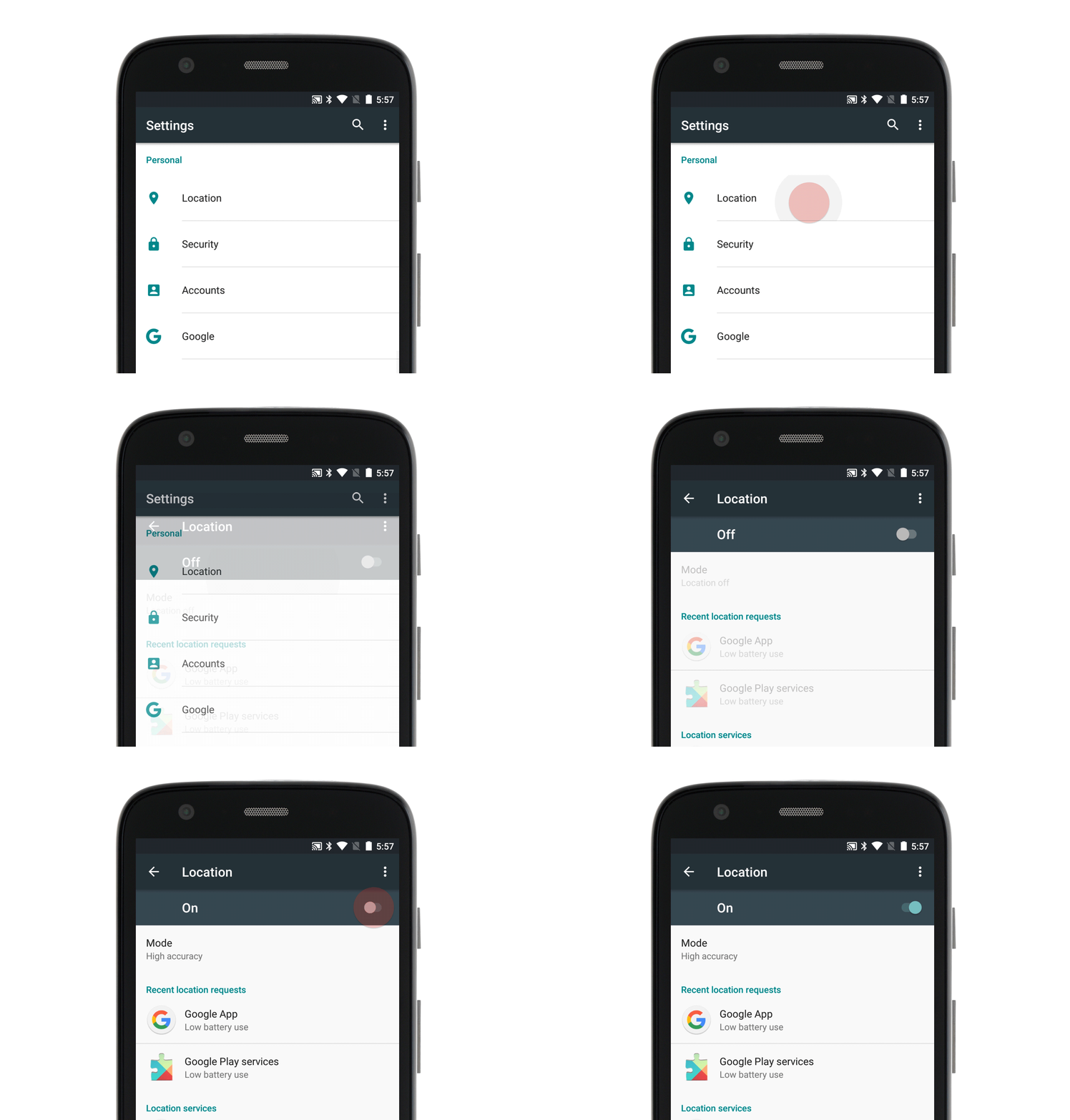
Here's how to turn off Location Services on an Android device. From the 'Settings' app, tap 'Location' under the 'Personal' sub-section to access the location settings page.
From here, you can turn location services on and off by tapping the cyan slider button on the right of your screen.
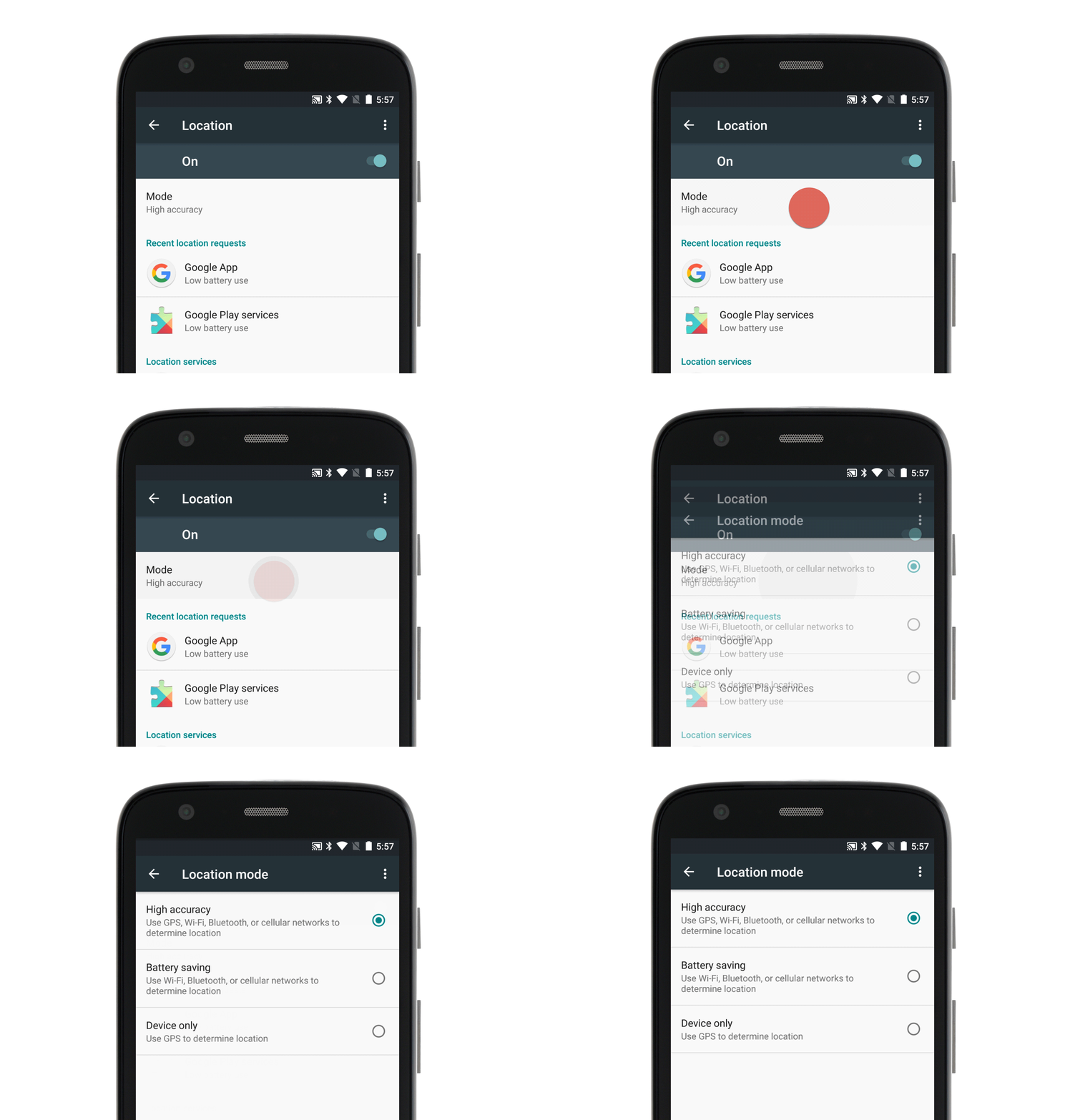
Although you cannot enable and disable location services for individual apps, you can choose from three different types of location services by tapping 'Mode.' These settings will affect battery life and the extent to which your device will use GPS, Wi-Fi
End of Lesson